Add a New Patient to a HubSpot List Workflow
The following example shows how to use a Trigger and an Adapter to automate a common marketing task, adding a new patient to a contact/lead list in HubSpot as soon as they create an account on CarePortals.
This workflow helps you keep your marketing and communication lists synchronized. It ensures that every new patient is automatically added to your CRM, allowing you to include them in welcome email series, newsletters, and other campaigns.
Workflow Overview
This automated workflow consists of two steps that run in sequence. Here’s a quick look at what you'll build:
Trigger: The process begins the moment a new patient signs up for an account through the patient portal.
Adapter: Immediately after, the workflow sends the new patient's information to HubSpot, creating a new contact record. HubSpot can then use this to enroll contacts in your marketing campaigns automatically.
Step 1: Set the Trigger
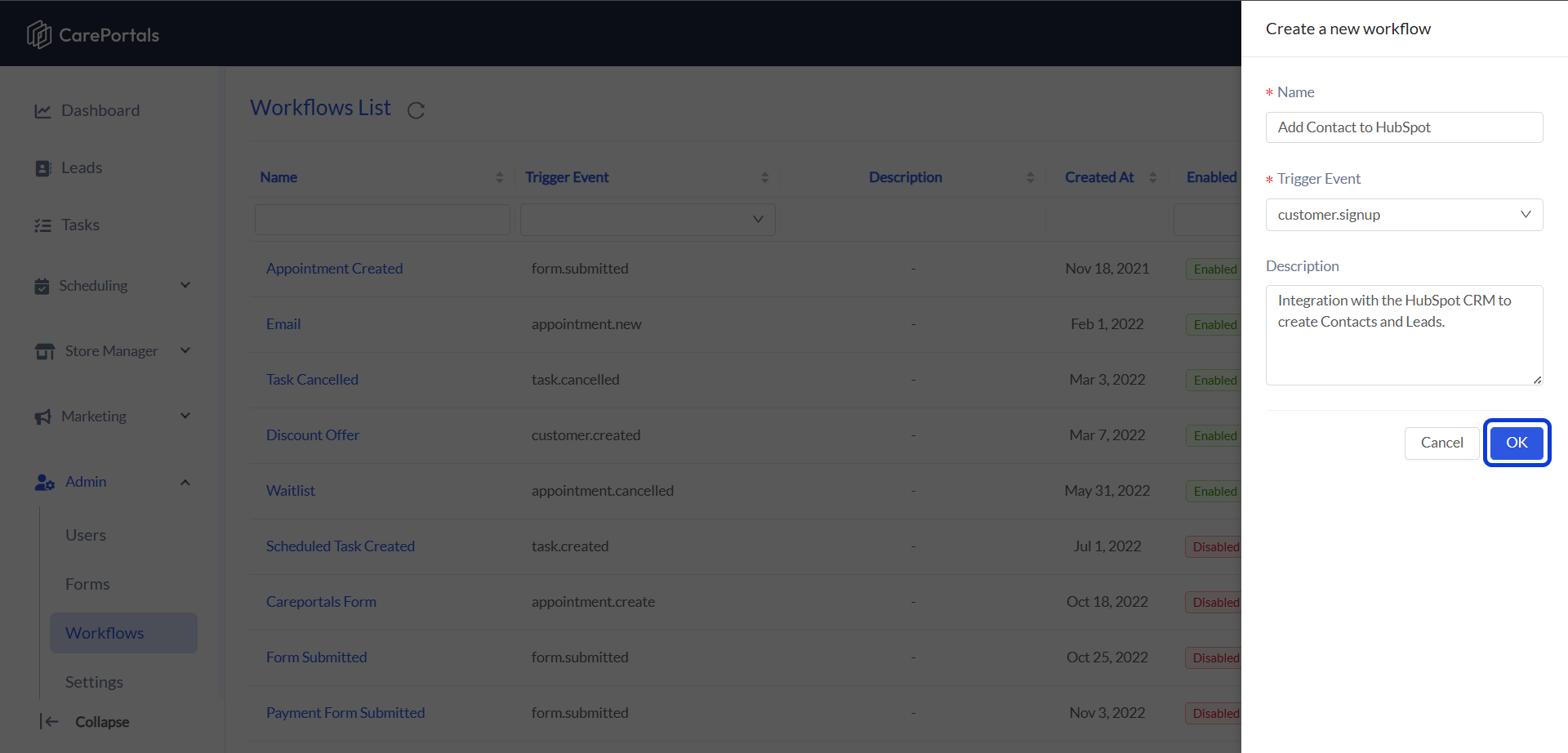
Create a new workflow by navigating to CRM Portal > Admin > Workflows > Create Flow.
Add a Name (e.g., "Add Contact to HubSpot") and set the Trigger Event as
customer.signup. This will trigger the workflow automatically whenever a new patient signs up for an account.Click on OK to save it. Then, open the newly created workflow to start building it.
Step 2: Create the Contact in HubSpot (Adapter)
This step uses an Adapter to send the new patient's information to your HubSpot account, creating a new contact record in HubSpot, or updating an existing one.
Setup Instructions:
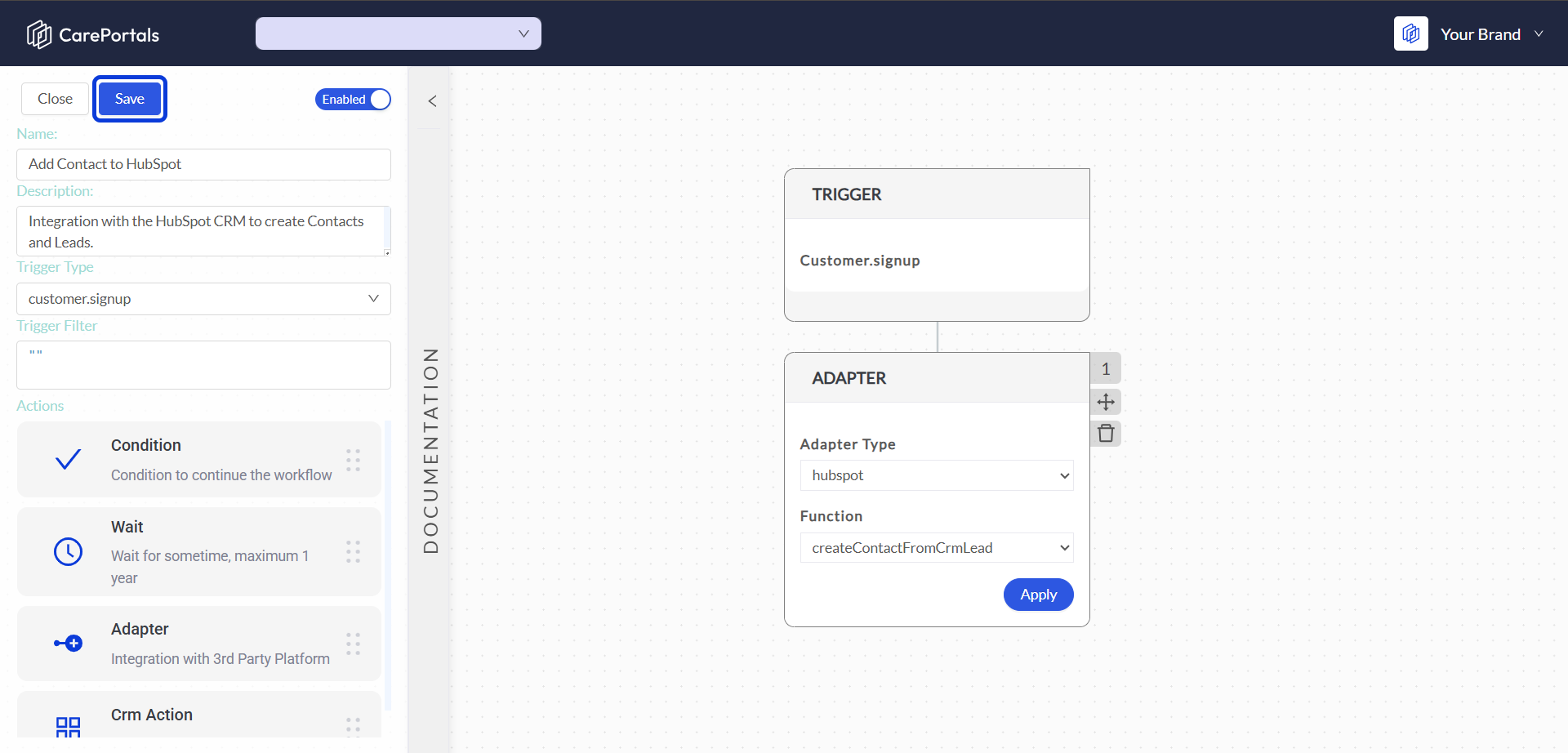
Add an Adapter to your workflow after the trigger.
Adapter Type: Select HubSpot from the list. This tells the workflow which external CRM to connect with.
Function: Select
createContactFromCrmLead. This function sends the new patient's information from their CRM lead record to create a contact in HubSpot.Click Save to keep your changes. Your workflow can now automatically send new patient details to HubSpot whenever it’s triggered.
Next Steps
If you are interested in learning how to create other types of workflows, you can check the following guides.
How to Build a Workflow to Send an Email: Learn how to build an automated workflow to send an email.
Send a Prescription Order to a Pharmacy via LifeFile: Learn how to automate sending orders to your pharmacy partners.
Was this helpful?
Still need help? Ask the team