How to Create a Subscription for a Patient
Learn how to create a recurring subscription for a patient directly from their profile without generating an immediate order.
Creating a subscription directly schedules recurring billing and fulfillment cycles but does not generate an immediate fulfillment order. Renewal orders are generated automatically once the scheduled cycle date is reached.
Step-by-Step Instructions
1. Navigate to the Patient Profile
From your main navigation bar, select Patients and locate the patient record you want to manage. Click on their name to open their profile details.
2. Go to Subscriptions
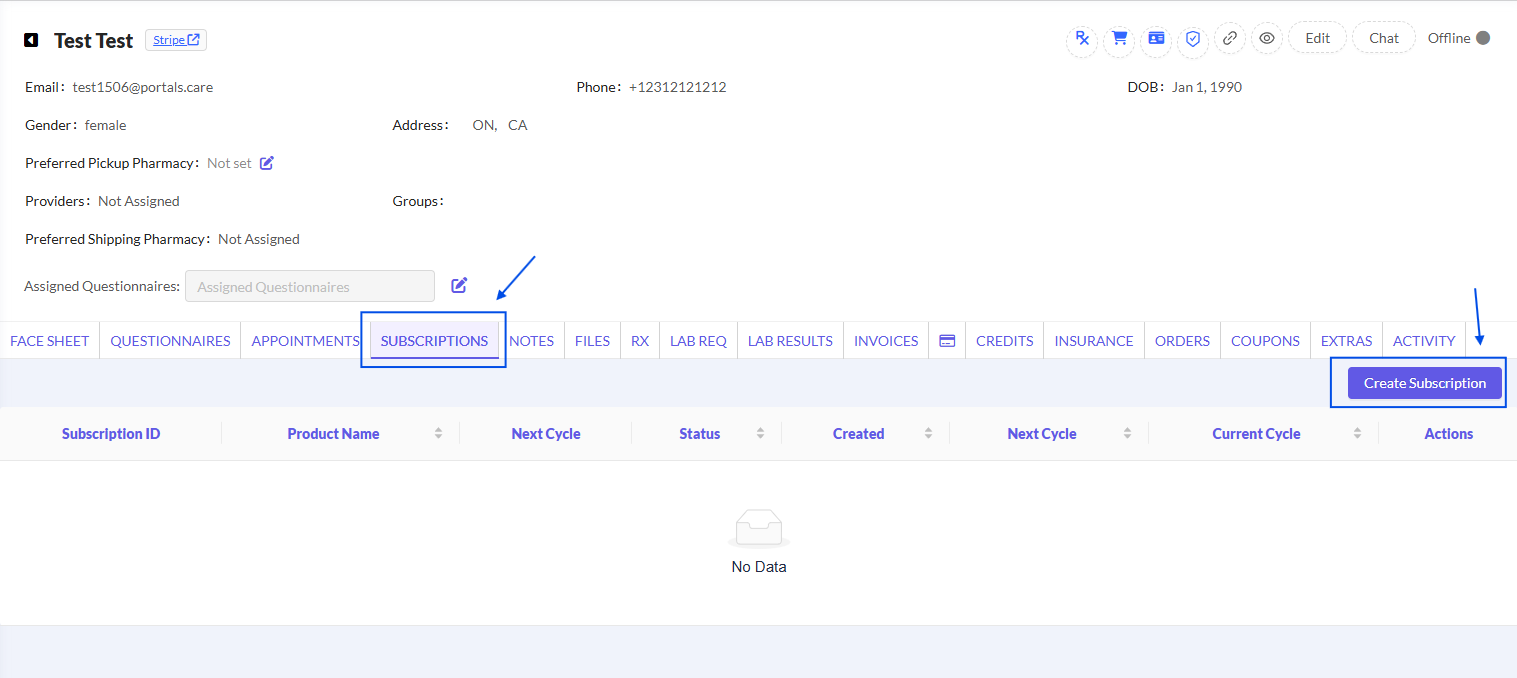
From the patient profile menu, select Subscriptions, then click the Create Subscription button located on the right side
3. Fill in the Subscription Details
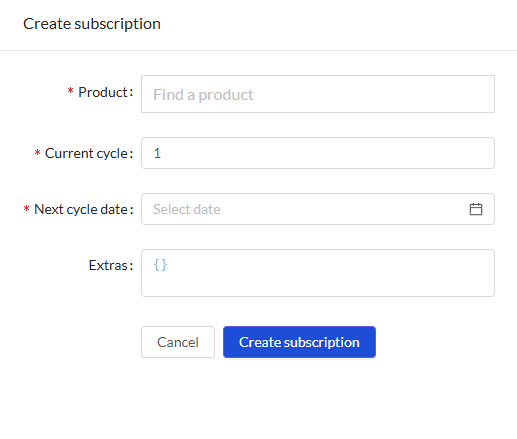
Complete the required fields in the Create Subscription modal:
Save and Confirm
Click the blue Create subscription button. The subscription is now active and will appear directly in the patient's subscription list.
Understanding Order vs. Subscription Creation
Was this helpful?
Still need help? Ask the team